EMaC Weekly Invoice Export
Introduction
EMaC requires a weekly CSV export of invoices raised in ViSN for a specific lease company.
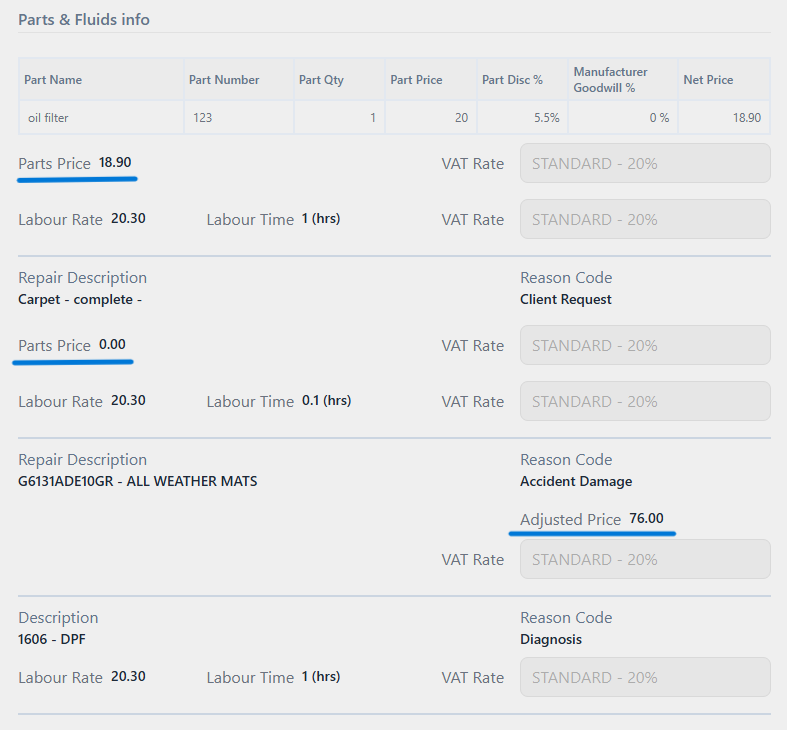
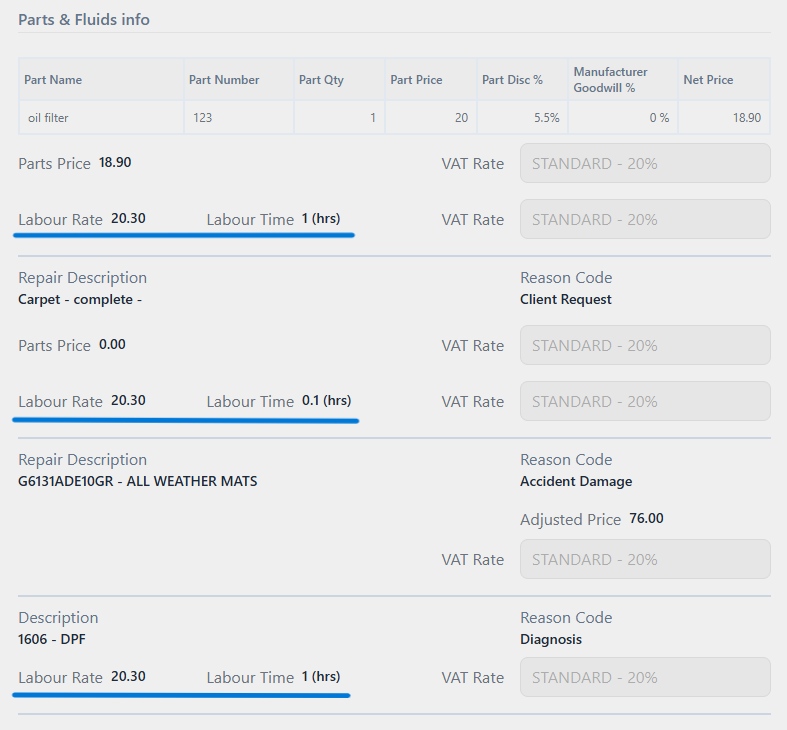
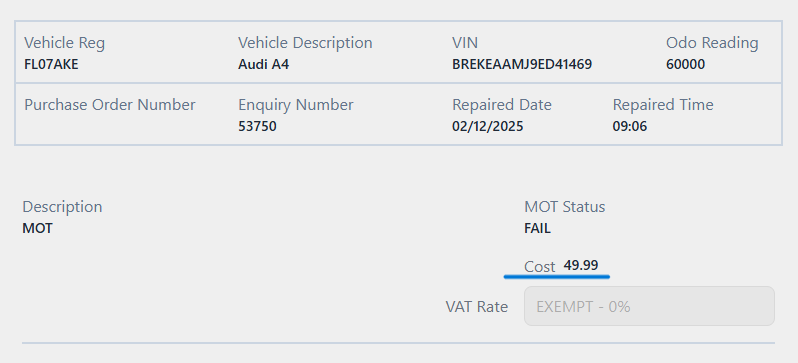
Each invoice produces multiple CSV lines (Parts, Labour, and optionally MOT), and the export job compiles all such lines over a configurable “lookback” window (default: last 7 days).
Purpose
EMaC will import the generated CSV file into their downstream accounting/processing systems.
File format
CSV -
*.csv(comma separated, first row is a header row).
Fields
| Column Position | Header Name | Description | Rules | Mandatory |
|---|---|---|---|---|
| A | BookingID | ViSN Enquiry Number | string | Y |
| B | ProductName | hard coded to
| string | Y |
| C | JobDate | Vehicle Checked-In Date on the enquiry | date [DDMMYYYY] | Y |
| D | AssetID | Policy Details > Policy Number | string | Y |
| E | VehicleRegNumber | Vehicle Reg | string | Y |
| F | SuppliedByName | Policy Details > Purchase Location Site (Dealer) | string | Y |
| G | SiteName | Name of Supplier on the Enquiry | string | Y |
| H | 1LinkSNInvoiceNo | Supplier Invoice Number 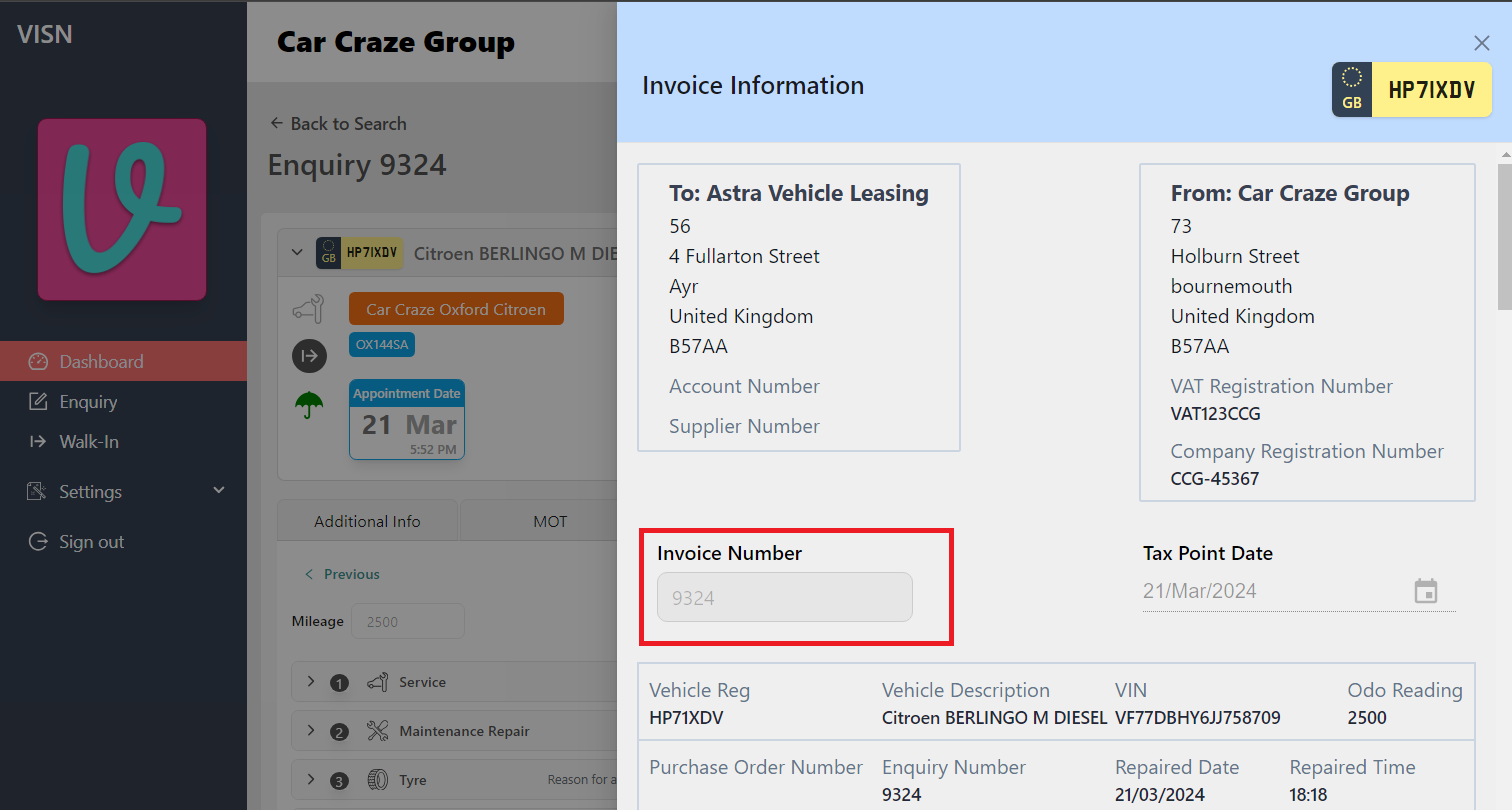 | string | Y |
| I | ClaimAuthorisationCode | Purchase Order Number entered on the enquiry (if available) | string | N |
| J | InvoiceNumber |
| string | Y |
| K | InvoiceDate | Invoice file generation date | date [DDMMYYYY] | Y |
| L | NetAmountSN | Net amount from SN amounts (line-type specific aggregation)
| number | Y |
| M | VATAmountSN | VAT amount from SN amounts (line-type specific aggregation)
| number | Y |
| N | LineTotalSN |
| number | Y |
| O | Uplift % | Uplift percent applied for Invoice Allstar values
| number | Y |
| P | NetValueInvoiceAllstar | Net value for Invoice Allstar
| number | Y |
| Q | VATValueInvoiceAllstar | VAT value for Invoice Allstar
| number | Y |
| R | LineTotalInvoiceAllstar |
| number | Y |
Data source
At the time of invoicing, an EMaC weekly export record is generated and kept ready for export
doc: /accounts/[AccountId]/serviceUnits/[ServiceUnitId]/enquiries/[EnquiryId]/invoices/emacWeeklyExportRecord

attribute: records
Sequence number
Sequence numbers are derived from a base reference date and base sequence number stored under the lease company exports settings:
doc: /leasecompany/[LeaseId]/exports/settings

attribute: emacInvoiceExportsSequenceNumber
{
  "emacInvoiceExportsSequenceNumber": {
    "baseReferenceDate": "2026-01-05T00:00:00.000Z",
    "baseSequenceNumber": 1
  }
}
Setup Required
Database Configuration
This export is targeted for EMaC lease companies alone, Hence storing these records for other companies is not required.
To prevent the records generated for non-EMaC customers, A flag needs to be enabled in the lease company's export configuration to restrict the data export to EMaC customers only
location: /leasecompany/[leaseId]/config/exportsConfig

attribute: createEmacInvoiceCSV

value: true
Generate Export
A Scheduler should be created cloud scheduler with the following parameters
- Name : GenerateEmacWeeklyExportCSV
- Region : europe-west2
- Frequency : 59 23 * * 7
- TimeZone : GMT London
- Topic : projects/biddirect-2/topics/generateEmacWeeklyExportCSV
Message body : a JSON object including the following parameters
dateTimeStamp : in format yyyy-MMM-dd ex 2022-Sep-30 , when skipped it will default to current date
leaseCompanyId : id that needs to be considered for emac lease
forNoOfPreviousDays : No.of.days the export should go back from the date mentioned, when skipped defaults to 7 i. e., a week
destinationFolder : folder which the export file must be placed in, when skipped defaults to
emac-weekly-exports
Status: Accepted
Category: Protected
Revisions
11 Feb, 2026 - Add EMaC weekly invoice export documentation